Modded Minecraft server hosting, packs installed for you
Pick a CurseForge modpack at checkout — RLCraft, All the Mods, Pixelmon, SkyFactory, and hundreds more. The goblin installs the server files, the loader, and the right Java.
Forge, NeoForge & Fabric — the right loader, automatically
Every pack declares its loader, and the goblin installs the matching one with the Java version it needs. No manual setup.
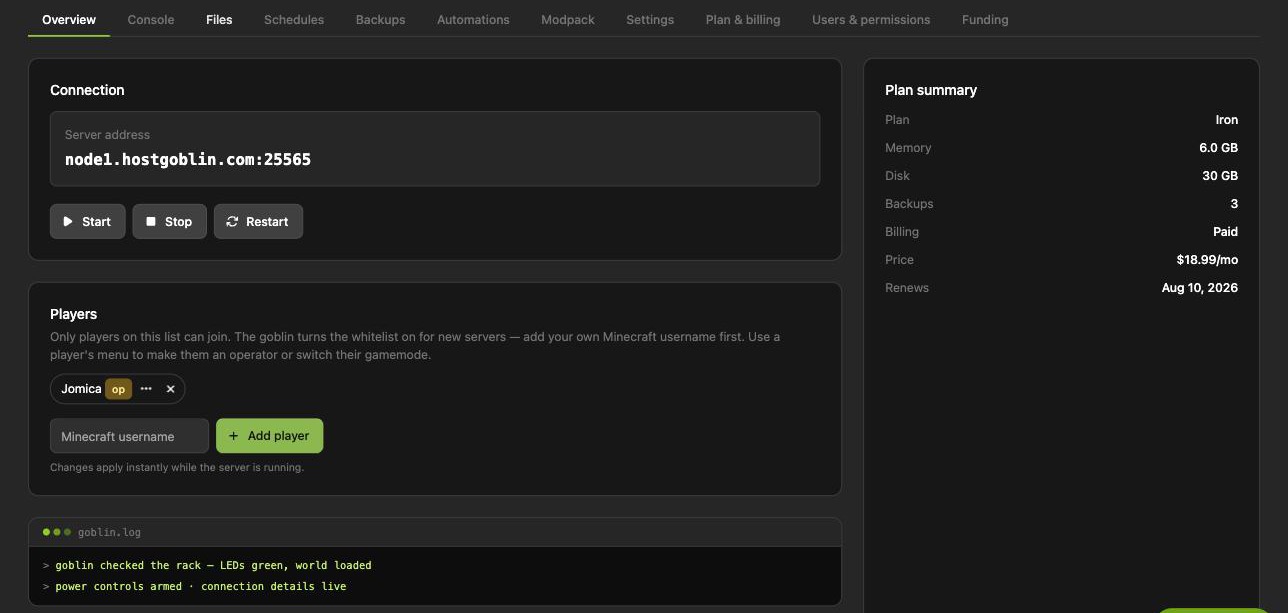
This is what you get
One-click power, a live console, whitelist management, files, backups, and one-click modpacks — captured from a real server's control room, not a mockup.
Featured packs with their own hosting guides
Popular packs, each with a dedicated page covering setup and the right plan size.
More packs with hosting guides
All guides → DawnCraft
 Better MC 5
 All the Mods 9: To the Sky
 Vault Hunters 3
 DeceasedCraft
 Cursed Walking
 DarkRPG
 BigChadGuys Plus
 Create: Astral
 Create: Above and Beyond
 Cave Horror Project
 Roguelike Adventures and Dungeons 2
 SkyFactory 5
 Craftoria
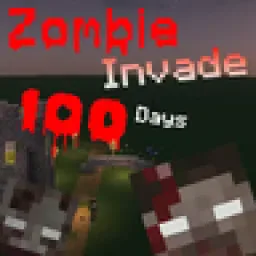 Zombie Invade 100 Days
 Elysium Days
Minecraft: Java Edition plans
Every tier runs on fast NVMe hardware with daily backups and the full goblin treatment.
Prepay and save: 3 months −5% · 6 months −10% · 12 months −15%
Honest specs, no asterisks
Minecraft: Java Edition hosting FAQ
How does modpack install work?
Pick a pack at checkout and the server builds itself: the goblin downloads the server pack from CurseForge, installs the right mod loader and Java version, and boots it. Big packs take a few extra minutes — the setup page updates itself as it goes.
Which modpacks can I run?
Anything in the CurseForge modpack catalog — search it right in the order flow. RLCraft, Pixelmon, All the Mods 9 and 10, SkyFactory 4, Better MC, Prominence II, and hundreds more.
How much RAM do I need for a modpack?
More than vanilla: light packs run on mid tiers, while RLCraft and kitchen-sink packs like All the Mods want 8 GB or more. The order page reads your pack's requirements and recommends the right tier automatically.
Can I change modpacks later?
Yes — switch packs or move between modded and vanilla from the dashboard. A safety backup runs before every switch, so your old world is never lost.
Do mods or modpacks cost extra?
No. One-click modpack install and pack switching are included in every plan.