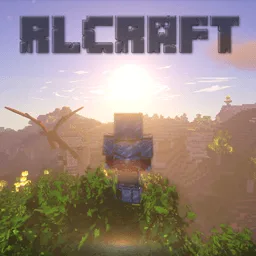
Host RLCraft
Hardcore survival, RPG progression, and dangerous exploration.
RLCraft on a server
How much RAM does an RLCraft server need?
RLCraft runs on 5–6 GB, but 8 GB (the Diamond plan) is the sweet spot for a group — its custom world generation is the real load, and extra headroom keeps frontier exploration smooth. Going far beyond 8–10 GB rarely helps on Minecraft 1.12.2; garbage-collection pauses grow with oversized heaps. The order picker reads the pack's requirements and recommends a safe tier automatically.
On HostGoblin that starts at $13.99/mo with the Stone plan (4 GB RAM) — and resizing later keeps your world.
A smooth RLCraft server
RLCraft hosting FAQ
Which plan should I pick for RLCraft?
Diamond (8 GB) is the recommended home for a group. The order picker reads the pack's minimum and blocks plans that are too small, so you can't accidentally undersize it.
Do my friends need anything special to join?
Yes — everyone needs RLCraft installed through the CurseForge launcher, on the same pack version as the server. Vanilla Minecraft clients can't join a modded server.
Can I bring an existing RLCraft world?
Yes. Upload the world through the dashboard file tools, point the server at that save, and keep a copy of the original until you've verified it in game.
Why does my server pause when players explore far out?
New chunk generation is RLCraft's single heaviest operation — its custom world gen does far more work than vanilla. It settles down once your group's usual territory has been generated.
More packs the goblin digs
All guides → RLCraft DregoraRLCraft survival remixed with Dregora's custom world and progression.See pack & pricing →
 DawnCraftSouls-like combat, dozens of bosses and a full quest line across a dangerous open world.See pack & pricing →
 Roguelike Adventures and Dungeons 2Exploration RPG with 250+ mods, a dozen dimensions, dungeons to delve and skills to level.See pack & pricing →
 Prominence IIA lore-rich RPG pack with talent trees, artifacts, and boss fights.See pack & pricing →