Bedrock hosting for the whole crew — console, mobile & PC
One server your friends can join from Xbox, PlayStation, Switch, phones, and Windows. The goblin handles the rest.
Bring your Realm world with you
Download your world from Realms, export the .mcworld, and upload it straight from your HostGoblin dashboard — the goblin unpacks it and flips the right switches. You get dedicated RAM instead of shared Realms hardware, room for more than 10 players, and a server that keeps itself on the newest Bedrock version so consoles never mismatch.
This is what you get
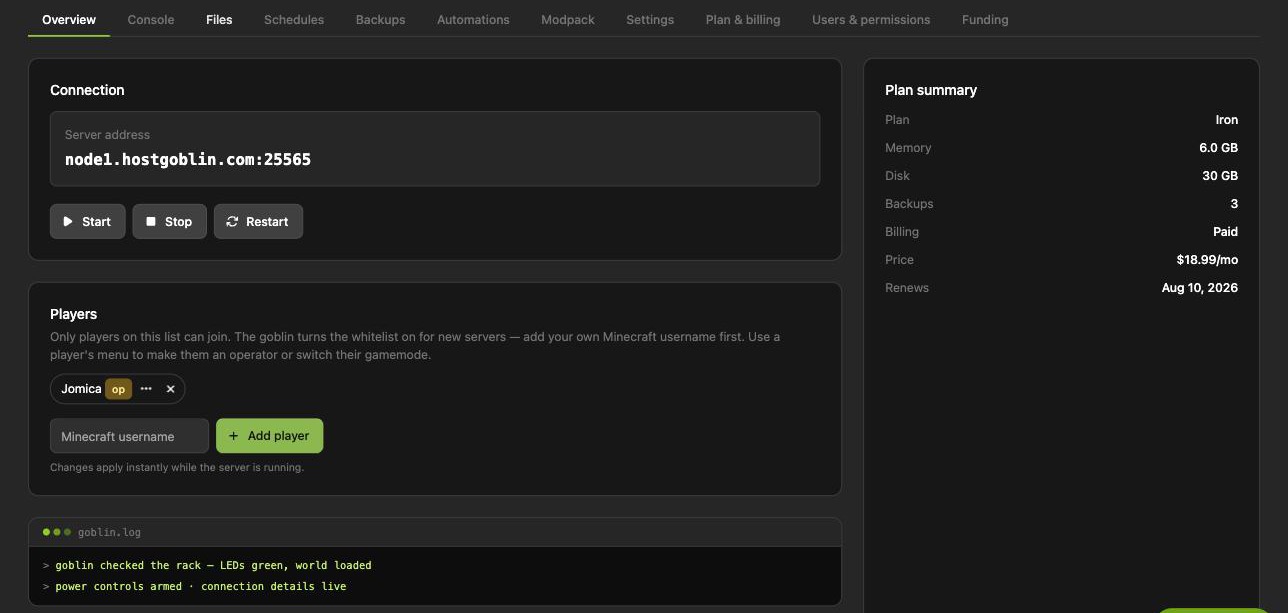
One-click power, a live console, whitelist management, files, backups, and one-click modpacks — captured from a real server's control room, not a mockup.
Minecraft: Bedrock Edition plans
Every tier runs on fast NVMe hardware with daily backups and the full goblin treatment.
Prepay and save: 3 months −5% · 6 months −10% · 12 months −15%
Honest specs, no asterisks
Minecraft: Bedrock Edition hosting FAQ
Who can join a Bedrock server?
Anyone on Minecraft Bedrock Edition: Xbox, PlayStation, Switch, iOS, Android, and Windows. Everyone joins the same world with the same address.
Can Java Edition players join?
No — Java and Bedrock are separate editions of Minecraft. If your crew plays Java on PC, our Minecraft Java hosting is the right home instead.
Can I move my Minecraft Realms world here?
Yes — download your world from Realms, export it as a .mcworld file, and upload it from your server's Settings tab. The goblin unpacks it and takes care of the fiddly parts; the switching guide on this site walks through every step.
How is a HostGoblin server different from Realms?
Realms is the simplest option and great at being simple. A server here runs on dedicated RAM so busy worlds stay smooth, holds more than 10 players, supports add-on packs and co-owners, keeps daily backups you can restore yourself, and your world files are yours to download any time.
How many players fit?
The Dirt tier comfortably runs a world of around ten friends; step up to Stone for bigger builds and busier worlds.
Can I switch plans later?
Any time — resizing keeps your world intact, and prepaying 3, 6, or 12 months saves up to 15%.